Last Updated on August 18, 2025 by Nadim Alamuddin
In this cut-throat world, first impressions are critical to how you are viewed and perceived. As such, your online profile photo is the gateway as to how people see you on your social media platform, whether it is a professional one as in LinkedIn, or a more social one on Instagram or Facebook. No matter what social media platform you use, a crisp, high quality headshot can make all the difference.
Photo studios know it’s a question of supply and demand, and as such, getting professional or studio quality photos have become expensive, time-consuming and/or inconvenient. Luckily, online services are plenty and with the introduction of Artificial Intelligence (AI) and a slew of AI tools, the game has changed.
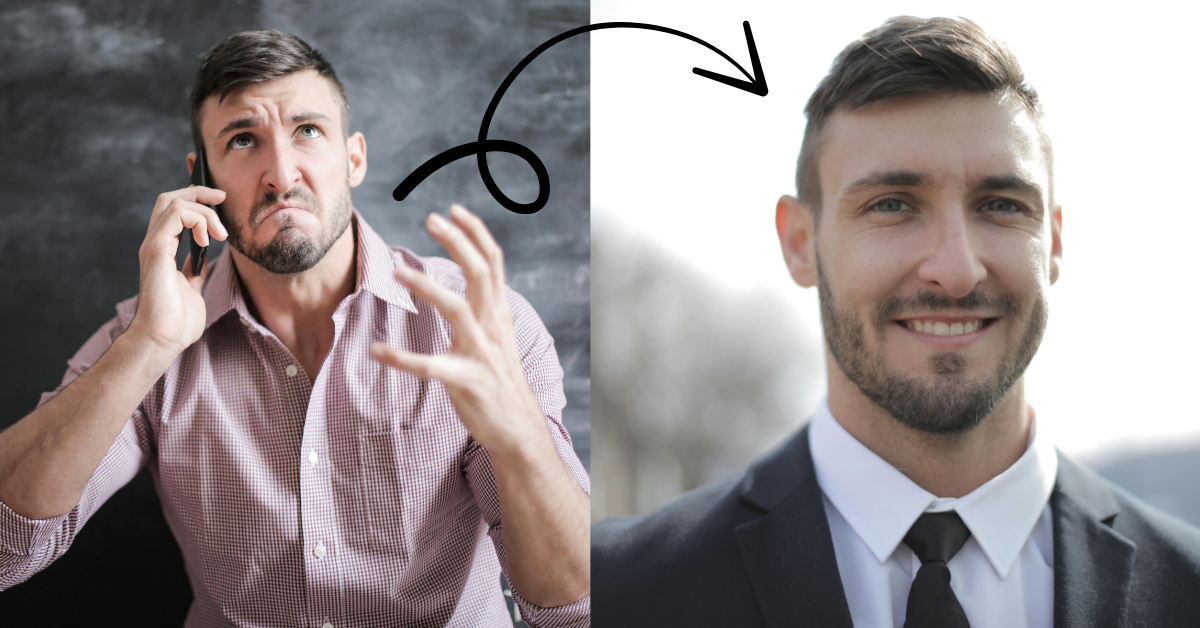
Introducing BetterPic.io, an AI-powered headshot generator that transforms your everyday selfies or portrait photos into stunning studio quality photographs as if taken by a pro.
Table of Contents
What Makes BetterPic The Best AI Headshot Tool?
BetterPic.io delivers AI Generated Headshots designed for professionals, entrepreneurs, freelancers, teams and anyone who needs high quality profile photos. Its distinguishing features include:
- AI-Powered Photo Enhancement
- You can upload selfies and photos so that BetterPic upgrades them into high-resolution headshots with flawless lighting, resolution, and clarity.
- Over 150 Unique Styles & Backgrounds
- You can choose from formal business portraits, creative urban shots, outdoor casual, or modern office settings, depending on your objective.
- Corporate Consistency for Teams
- Do you want matching team photos for your company website, newsletter, or sales pitch? BetterPic offers scalable solutions that deliver impressive team branding.
- Image Upscaling for Print & Digital
- If you need your headshots for posters, banners, or social media, BetterPic has you covered. The platform adapts images for all formats, maintaining exceptional quality.
- Beginner Friendly Interface
- Even with no tech skills, your photos will look as if you’re the pro! The interface guides you with step-by-step prompts throughout the process.
- Full Commercial License and Privacy Controls
- You own your headshots, with the rights to use them wherever you want. In addition, you can delete your data from their servers at any time, giving you the peace of mind you need.
Here’s a preview short clip on what you’d expect…
Wanna see how it works? Check out BetterPic.io now!
Real World Use Cases For BetterPic.io
While your LinkedIn profile could be the best use case for BetterPic, there are other opportunities where you can use such a powerful tool. Here’s a list, including LinkedIn:
- Professional Headshots
- These can be on your LinkedIn profile, or can be used on your CV / Resume, where applicable. Some job applications require headshot photos too.
- Corporate Branding
- You can create professional looking headshots and/or team photos for your corporate website, newsletters and/or presentation decks, which would enhance your corporate image.
- Freelancers & Professionals
- You can boost your online presence on websites, sales pages and social media platforms, just by using BetterPic to enhance your photos into studio quality ones.

How To Use BetterPic.io In 8 Simple Steps:
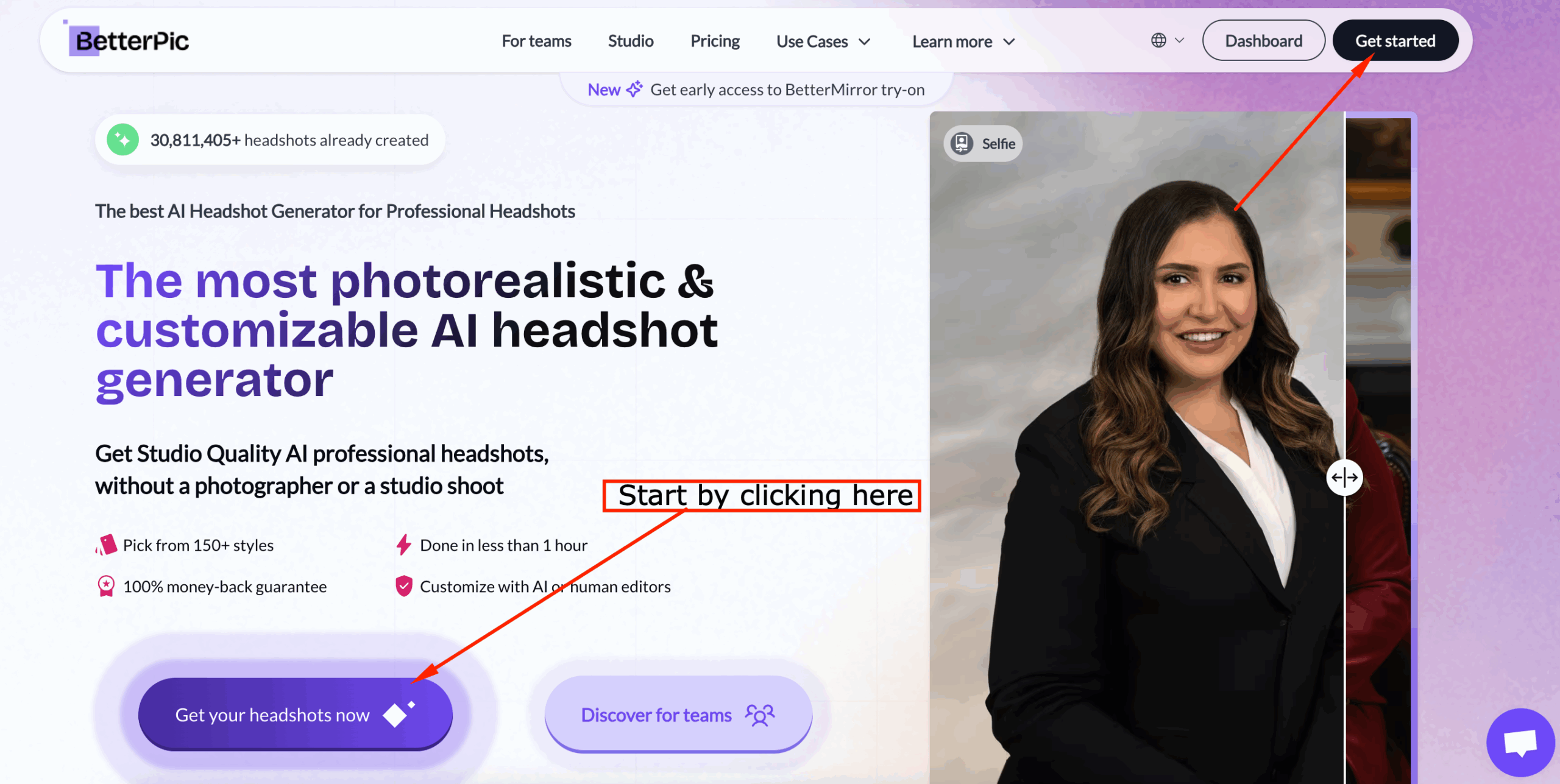
- Go to BetterPic.io and click “Get Started” or “Get Your Headshots Now” – check screenshot below and where the red arrows are.
2. Whichever button you clicked, you will get to the next screen, where you need to choose whether you want to generate your own shots or team shots.
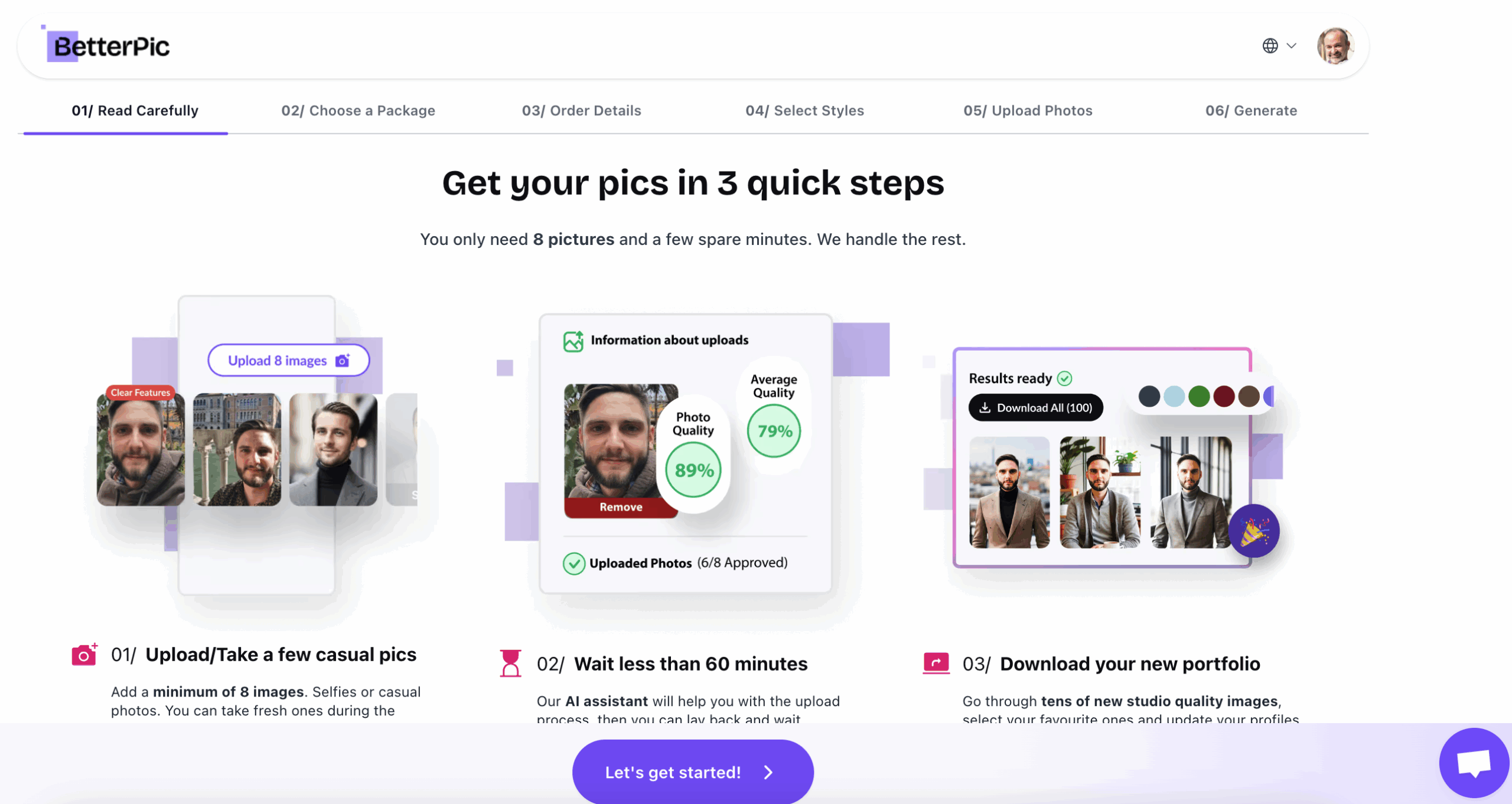
a. If you chose to generate your individual shots, you will get to the following screen:
b. If you chose to generate team shots, you will get a form that asks you to fill your company name, industry and other pertinent info about your team. Once filled, it will take you to the pricing screen for teams. Note: this tool does not have a free trial. However, the price is one-time, rather than a subscription.
3. Once you click on “Let’s get started” (individual photo selection), you will get to the pricing screen for individual photos, where you’ll need to choose a package that suits your needs. As written in the note above, BetterPic.io does not have a free trial, but is a one-time only buy (no subscription). As the prices may vary by the time you read this post, I will not put a screenshot here.
4. You will then be asked to fill a form for your basic information, so that the AI generator can be at its best. It’s a simpler form than in the case of the teams option.
5. Whichever package you pick, you will be directed to the checkout page, where you will be verified, then you can pay. Together with your licensed product, you will get a certain number of credits (depending on your package) that you can spend to do AI edits on your photos.
6. Once you’re registered, you can either go to the Dashboard or login and do so. Now, the magic begins. Depending on the package selected, you will be asked to upload your selfies or photos (at least 8 photos). Make sure they’re high quality shots, without any filters applied. Try to isolate yourself if you have group shots (it’s better to avoid group shots altogether).
7. And here’s where BetterPic.io stands out from other photo generators. As your photos are uploaded, the AI Assistant analyzes them to help you generate the best results. It will rate your uploaded photos by sharpness, brightness and overall quality. The result? 4K, Studio Quality images, superior customer service, a service of redos (when justified) or your 14-day money back guarantee.
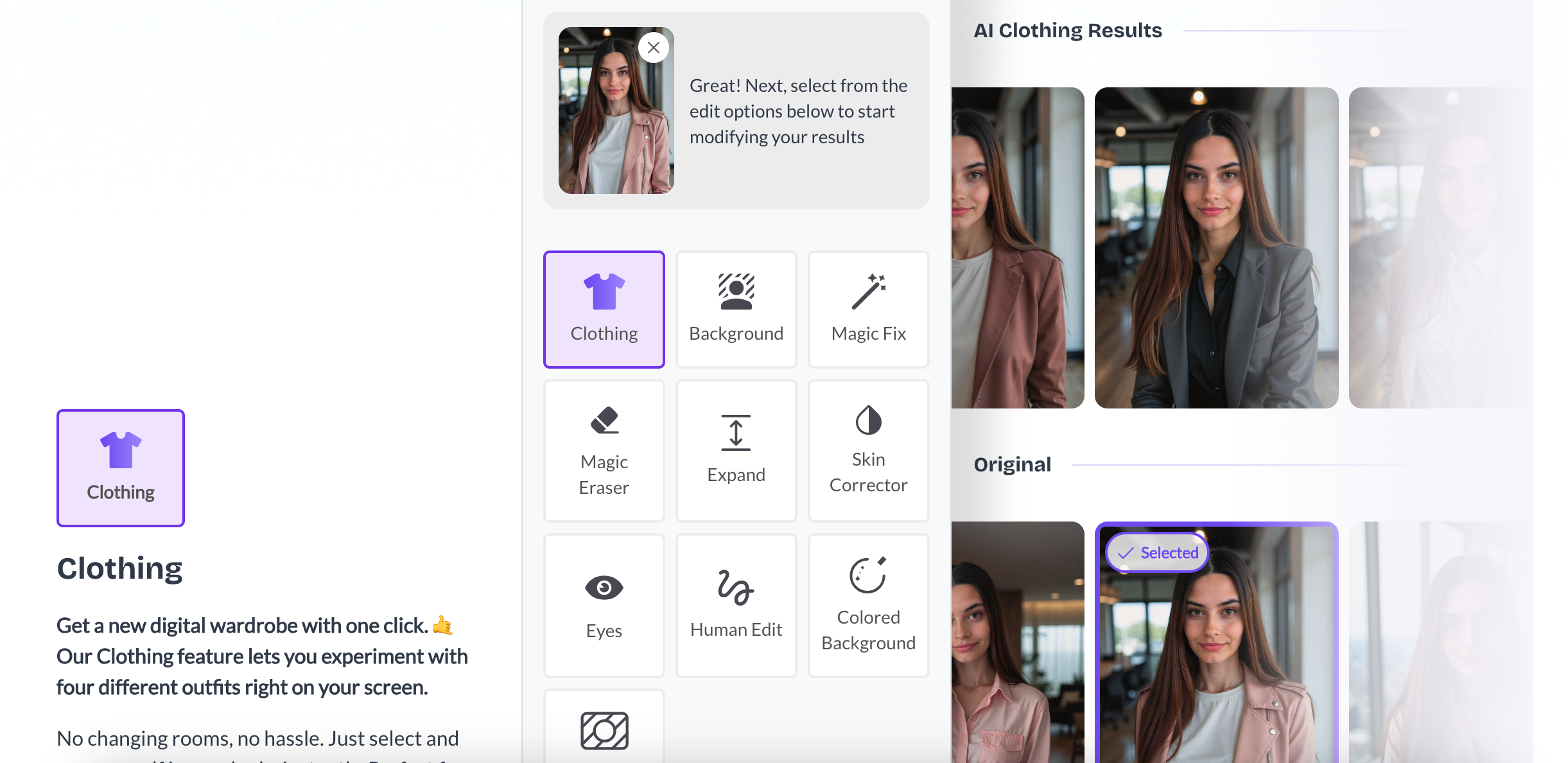
8. Now, you can download your favorite images. Wanna tweak them some more? Use the Studio feature to edit your images with AI. Change your background, your outfit, your hair, colors, etc. Here’s a screenshot to see what’s available…
9. Once you’re happy with the images, you can use them on LinkedIn, your resume/CV, or any social media platform of your choice.
Pros & Cons of BetterPic.io
As with many products, there are always key benefits as well as some disadvantages that may need to be addressed for the product to be great. The table below shows them from my point of view:
| Advantages | Disadvantages |
| 4K / Studio Quality Images | No free trial |
| Over 150 options for backgrounds / styles | Some restrictions on lower tier plans |
| Fast image processing | |
| Lots of editing features | |
| Great customer support & professional edits | |
| One-time payment |
Final Thoughts
If you’re serious about doing an overhaul of your online profile pictures, without the cost of a professional photographer, then BetterPic is the ultimate headshot generator to try right now.
Thanks for ready this honest review of BetterPic.io! For similar content, please check out the following posts:
- 5 AI Challenges At Work, And How To Overcome Them
- Stunning Image Sites That Make Blogs Stand Out
- How To Optimize Images Without Losing Their Quality
If you’re on Pinterest, you can save the pin below to your favorite board(s)!